
All features
Send digital invitations for group bookings
Let guests invite participants, collect responses, and manage groups without manual coordination — automatically from the booking.
Party and group invitations made simple
After a party or group booking is completed, the organiser can easily invite friends by sharing a link — no manual coordination needed.
Guests manage invitations themselves, while you collect valuable participant data before arrival. Auto-generated personalised invitations.
Shareable invite link for each booking
Guests invite friends directly
RSVP tracking and attendance overview
Participant details collected automatically
Reminder messages for invited guests
Grow your customer database with new contacts
Gift wishlist included in every party booking
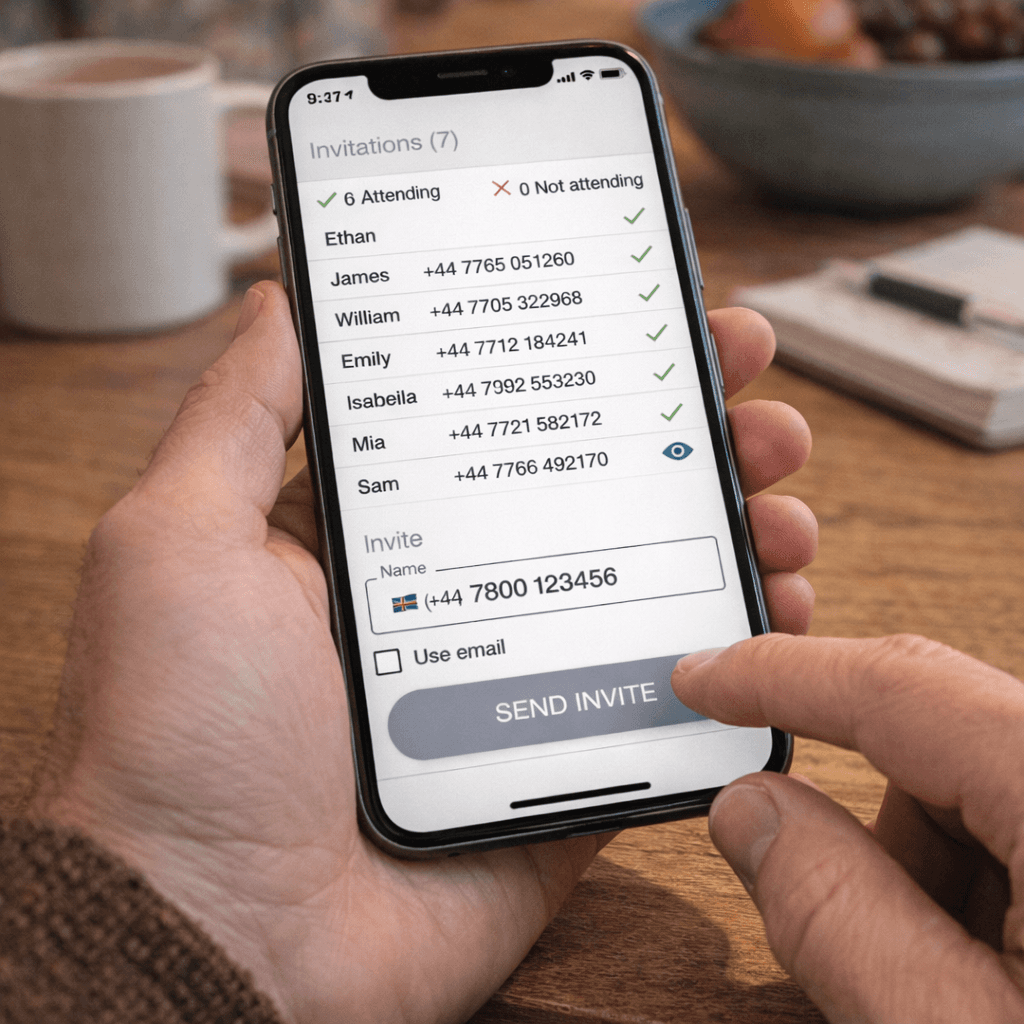

Managing participants manually is inefficient
Group organisers must collect information and confirm attendance themselves — often through messages or spreadsheets. This creates delays, missed responses, and unnecessary back-and-forth before the event.
Start the experience before guests even arrive
A beautifully delivered, personalised invitation sets the tone for the entire event — building excitement among guests and confidence in the organiser. It's one of those details that customers remember and talk about.
Each invitation links to a tailored guest portal where attendees can RSVP, check event details, view the wishlist, and receive reminders — all in one place, without needing to create an account.

FAQ
Frequently asked questions
Common questions we get about digital invitations in Funbutler
How are digital invitations sent to guests?
After a party or group booking is confirmed, Funbutler automatically generates personalised invitations and sends them to guests via email. Each invitation includes a link to a dedicated guest portal with all the event details.
Can the organiser customise the invitation?
Yes. The organiser can add a personal message, upload photos, and customise certain details of the invitation before it goes out. The core event information — venue, date, time, and booking details — is populated automatically from the booking.
How do guests RSVP?
Guests RSVP directly through the guest portal linked in their invitation. They can confirm attendance, indicate dietary requirements or other preferences, and view the gift wishlist — all without needing to create an account or log in.
Can the organiser track RSVPs in real time?
Yes. The organiser has access to a live overview of RSVPs within their booking dashboard. They can see at a glance who has confirmed, who hasn't responded, and how many guests are expected — making planning much easier.
Do guests receive reminders as the event approaches?
Yes. Funbutler automatically sends reminder communications to guests who haven't responded, as well as event reminders as the date approaches. This helps maximise attendance and ensures guests have all the information they need ahead of the event.